No media-minute limits
Record, transcribe, edit, caption and export as much as you like. Your Rooster bill won’t grow with your workload.

Rooster is a transcript-first video editor for Mac. Record, transcribe, edit, caption and export as much as you like. Your Rooster bill won’t grow with your workload.
14 days free, no card, then $4.99 a month at the founder price, locked in for as long as you stay subscribed. Open to the first 250 subscribers who join by 31 December 2026. Once it closes, new subscribers pay $12.99 a month.
Built for Apple silicon Macs running macOS 26 or newer.
Record, transcribe, edit, caption and export as much as you like. Your Rooster bill won’t grow with your workload.
Transcription starts the second you stop recording, on your own processor and Neural Engine. No queue, no sync, and it still works on a plane.
Projects are files on your Mac. No account is needed to open your own work, and no library sits behind a storage cap if you stop paying.
What we believe
Many everyday AI jobs, like transcribing a recording or cutting out the ums, don’t need a data centre. Doing them on a Mac you own, instead of paying by the minute for someone else’s servers, is cheaper, faster and better for the environment. Cloud-based AI is for the jobs a Mac can’t handle.
Three steps
Three steps from a rough take to a finished video, without a Rooster meter running underneath them.
Your original recordings are never rewritten.
Camera, screen or both, straight into a Rooster project, with a teleprompter and framing guides when you want them.
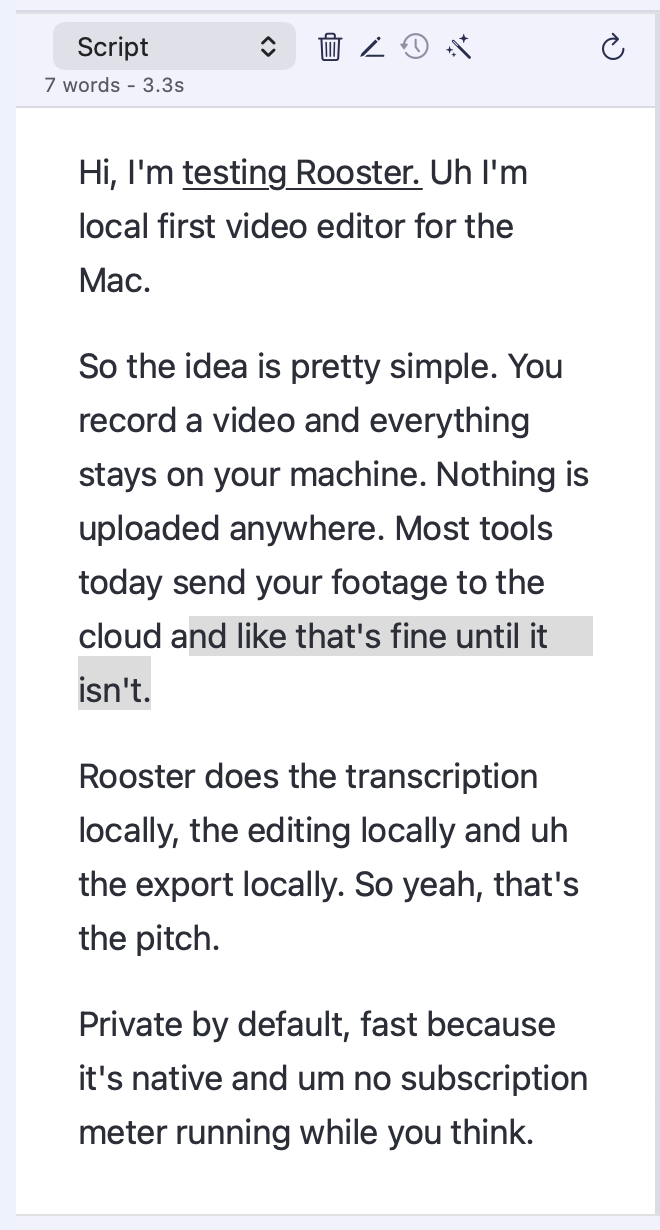
The transcript appears as soon as recording stops. Click a word to seek. Select words and delete to cut the media. Correct a word without touching the picture.
A finished video saved to Downloads, with captions on the picture or in a separate file. Everything renders on your Mac.
The core loop
Select words to find the matching moment, then delete them to cut the video. Correcting a word fixes the transcript without touching the recording. Text and timeline stay in sync, and Rooster keeps natural pauses at every join.
In the app
Everything from first recording to finished export, plus the tools to polish and reshape the result.
Record your camera, screen or both, with teleprompter, framing, resolution and countdown controls.
An NVIDIA Parakeet speech model runs privately on your Mac, in English and 24 other languages. Switch local engines or connect your own service when you need one.
Click a word to find the moment. Delete words to cut the video, or correct the transcript without changing the recording.
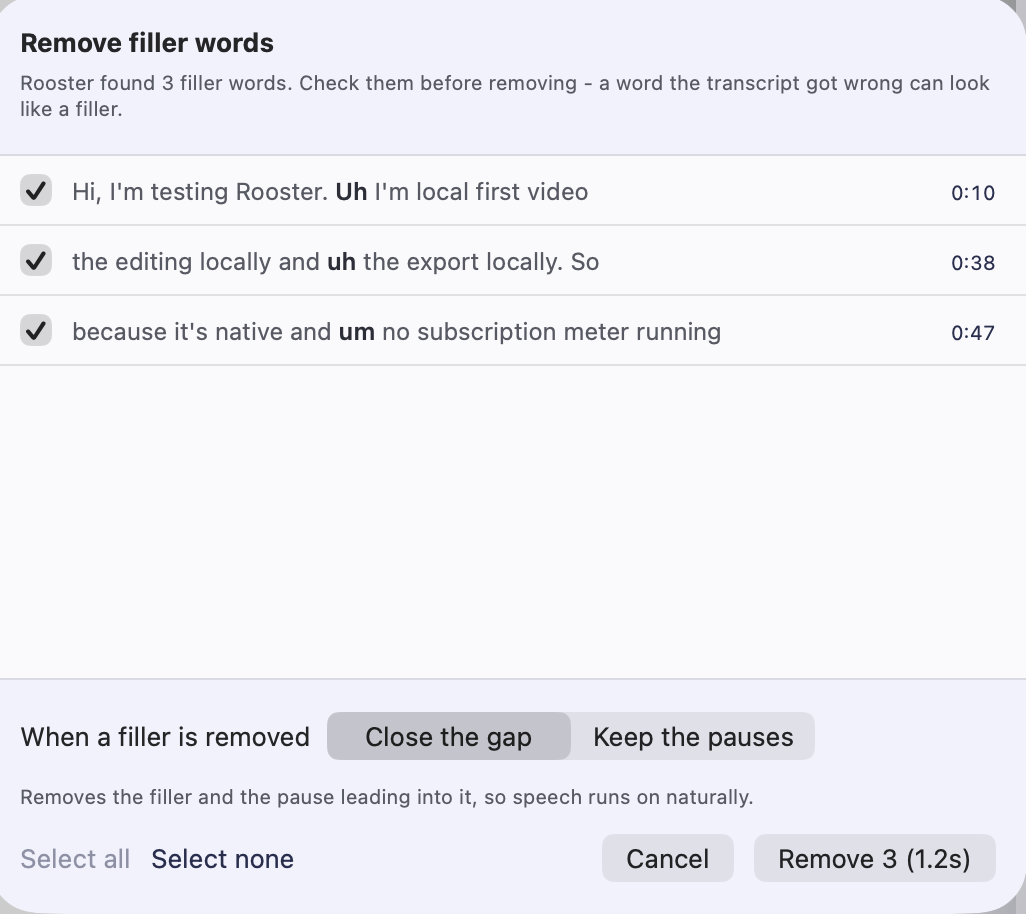
Find filler words, long pauses, dead air and, in English, takes you said twice and false starts in one pass. Untick what you want to keep, cut the rest in one undoable step, then check each cut.
Style captions in a live preview, burn them into the video or save a separate subtitle file.
Export a finished video ready to publish, with captions on the picture or in a separate file. Save video, audio and transcripts to Downloads.
More control when the first cut needs a little more work.
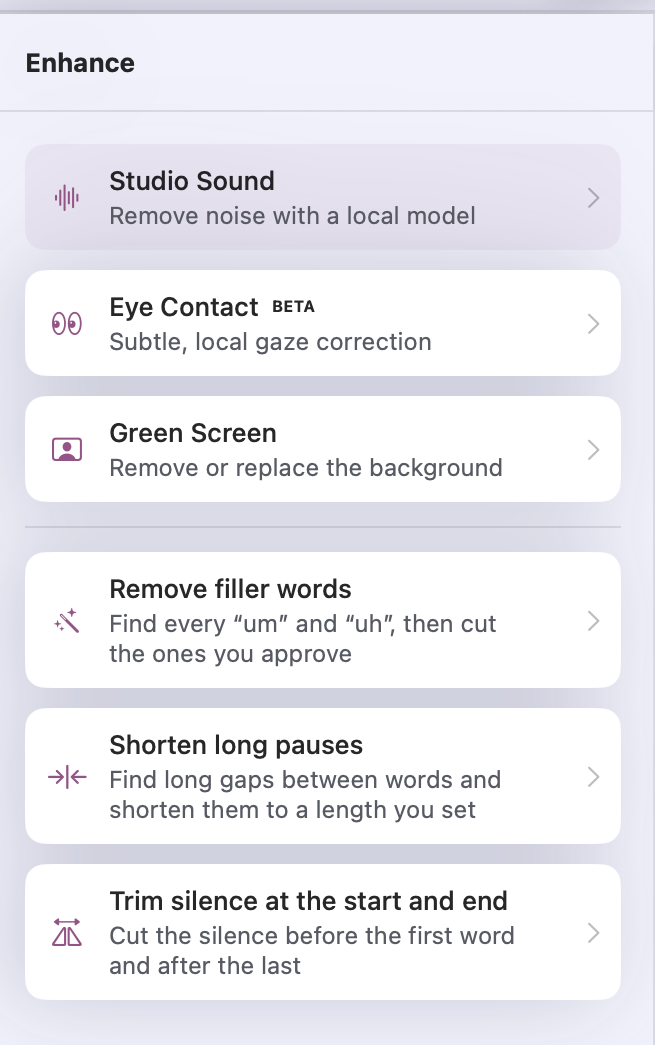
Clean up speech and compare the result with the original before you keep it.
Correct eye line with Apple Vision, with A/B playback to check the result.
Remove the background, with controls for clean edges. Your canvas colour, or a layer behind you, shows through.
Add, trim and position B-roll and music, with automatic speech ducking.
Reframe an edit for landscape, vertical or square video, with safe-area guides.
Trim, reorder and undo, with projects stored as files on your Mac.
Unlimited, structurally
Every unlimited offer invites the question: what is the catch? Here the answer is structural. Transcription, effects, preview and export all run on your own processor, so Rooster does not need to charge by the minute or the action. Cloud editors work the other way round: their costs rise with every minute and every AI action, which is why their plans are built around media minutes and credit balances.
Rooster is $4.99 a month at the founder price or $99 a year, with a $249 lifetime licence on the direct download, each after a 14-day free trial. The founder price is locked in for as long as you stay subscribed and is open to the first 250 subscribers who join by 31 December 2026. Once it closes, new subscribers pay $12.99 a month. Your price stays the same however much you record, edit and export.
Before you decide
See how the leading tools compare on workflow, pricing and limits. Every price links to the vendor page it was read from, with the date.
Alternatives
Seven real Descript alternatives compared by the job you need done, with metering, platforms and pricing checked against each vendor's own page in August 2026.
Head to head
A straight comparison of Descript and Riverside for podcasters: recording, text-based editing, meters, pricing and where each falls down. Checked August 2026.
Alternatives
Six real Loom alternatives compared by the job you need done - share links, polished demos, free tools, full editing - each with a dated price from the vendor.
The essentials
Writing
Notes on transcript-first editing and what cloud editors actually charge.
Transcribing a recording or cutting out the ums doesn’t need a data centre. Why we do everyday AI on the Mac you own and keep the cloud for the rest.
What Descript costs in 2026 - every plan and meter, the free plan, trials, discounts and lifetime deals, and why older articles quote old prices.
Removing ums is easy. Removing them without making someone sound like a machine is a timing problem, not a detection one.